
What the bounce looks like
TEXT
550 5.7.1 Message rejected: Message lacks SPF/DKIM/DMARC Auth Records (AS9031519)How this differs from Microsoft's published rules
550 5.7.515 Access denied response. MailRoute cites Microsoft's announcement for this, and the rule targets bulk senders. Most small businesses reasonably concluded it did not apply to them.
The new rejection differs in three ways, based on MailRoute's observations:
- It reaches low-volume senders. Even a one-line reply from a small office can bounce.
- It has not been announced. MailRoute found no postmaster notice, blog post, or service-health entry from Microsoft as of November 6.
- It does not say what failed. A 5.7.515 bounce lists the individual SPF, DKIM, and DMARC results. This one only says that records are missing.
Check whether your domain has a DMARC record
example.com with your domain:
BASH
dig +short TXT _dmarc.example.com"v=DMARC1 means a record exists. No output means you have none, which is the case this rejection targets. If you added a record and still get nothing, the usual cause is that it is published at the wrong hostname. That is covered in Thinking DMARC Is Live Because the TXT Record Exists? Check It Sits at _dmarc.
Fix 1: publish a DMARC record at p=none
| Field | Value |
|---|---|
| Type | TXT |
| Name | _dmarc |
| Value | v=DMARC1; p=none |
p=none is the safe starting point. It declares that your domain uses DMARC and asks receivers to send reports, but it tells them to take no action on failures, so it does not change how other receivers treat your mail. You can add a rua=mailto:... tag later to receive aggregate reports. Reading them regularly is what makes it safe to tighten the policy afterwards, as described in Reading DMARC Aggregate Reports Weekly to Catch Senders Failing Alignment and Thinking a Short DMARC p=none Phase Is Enough Before Switching to p=reject.
There is one condition. DMARC passes only when SPF or DKIM passes for the same domain that appears in the From address. If neither is aligned, a DMARC record alone will not make your mail pass. This is where Microsoft 365 needs a second step.
Fix 2: enable DKIM for your own domain in Microsoft 365
yourtenant.onmicrosoft.com. That signature is valid, but its domain does not match your From address, so it does not count toward DMARC. Turning on DKIM for your own domain makes Microsoft 365 sign with a domain that does align.
You need two things for this: a domain that is already verified in your Microsoft 365 tenant, and access to the DNS zone for that domain. Unverified domains do not appear in the DKIM list.
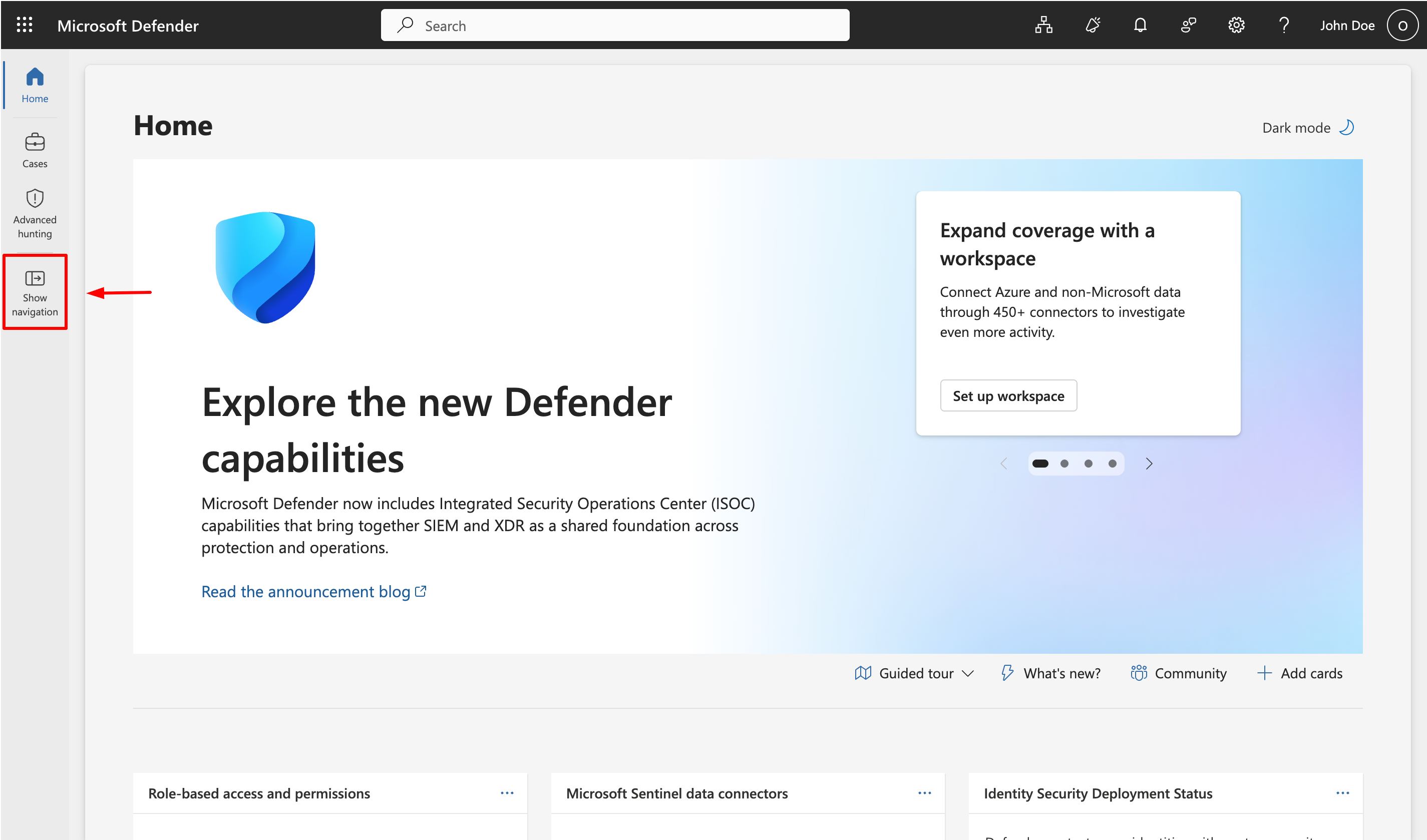
Step 1: Sign in to the Microsoft Defender portal
Step 2: Open Email & collaboration, then Policies & rules
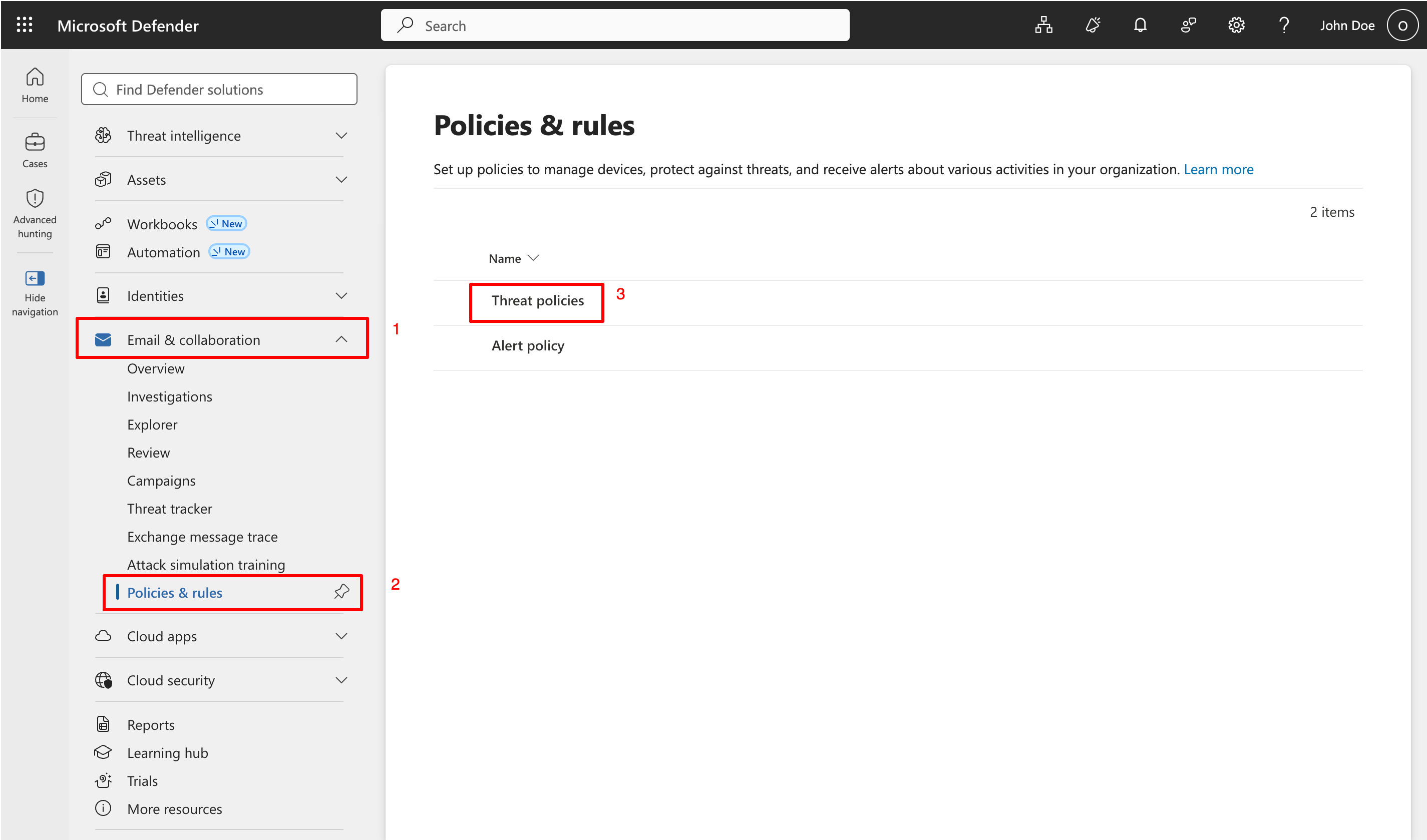
Step 3: Open Threat policies
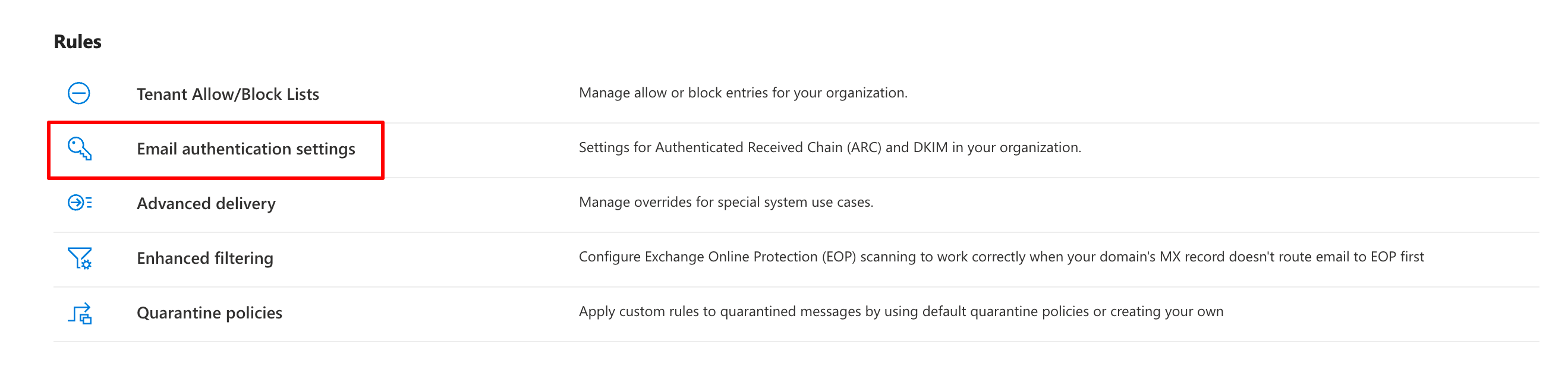
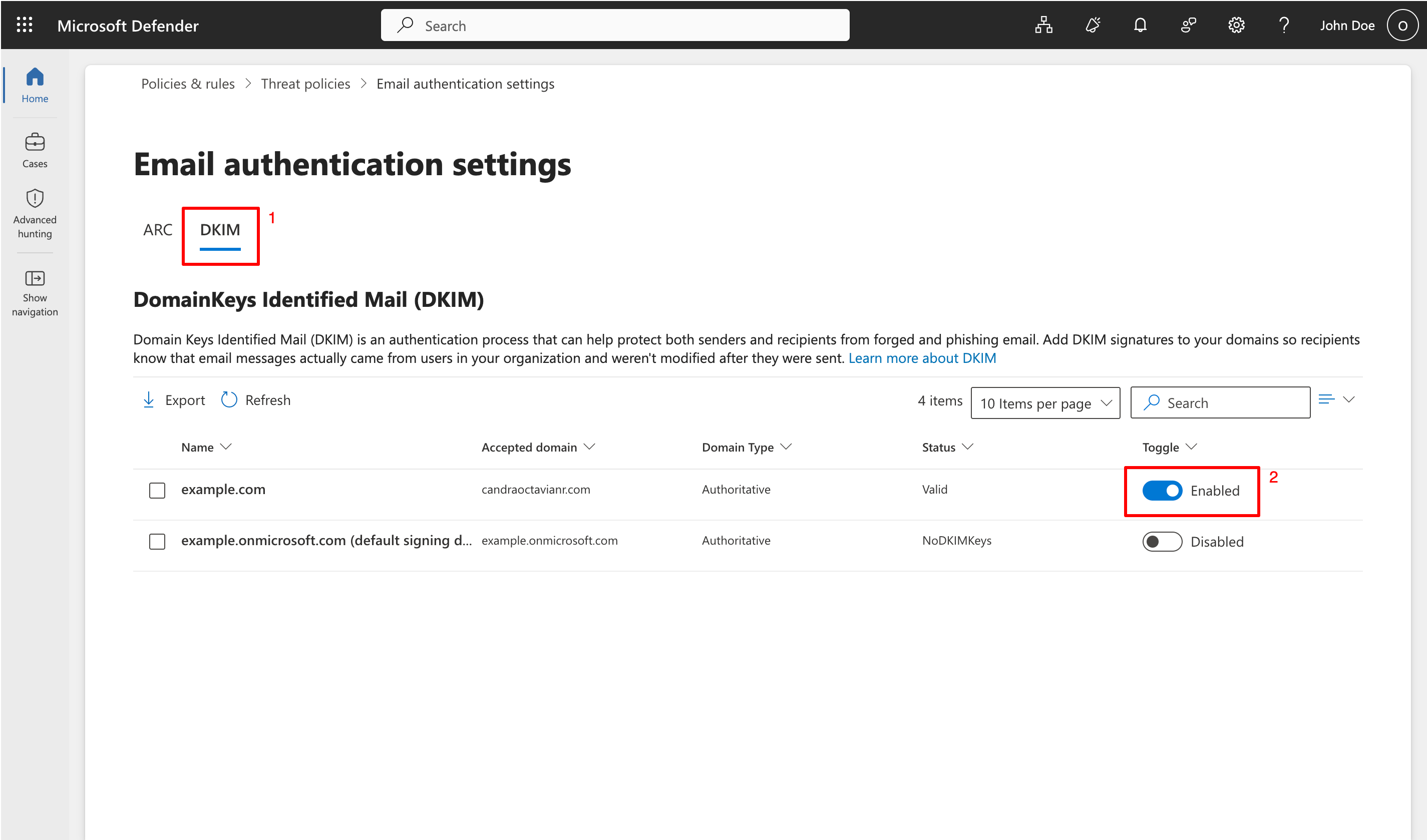
Step 4: Open Email authentication settings and the DKIM tab
.onmicrosoft.com entry.
Step 5: Create the DKIM keys and publish two CNAME records
selector1._domainkey and selector2._domainkey, and the values they point to are generated per domain. The general form, from Microsoft's documentation, is:
TEXT
Hostname:  selector1._domainkey
Points to: selector1-<CustomDomainWithDashes>._domainkey.<InitialDomainPrefix>.<DynamicPartitionCharacter>-v1.dkim.mail.microsoft

Hostname:  selector2._domainkey
Points to: selector2-<CustomDomainWithDashes>._domainkey.<InitialDomainPrefix>.<DynamicPartitionCharacter>-v1.dkim.mail.microsoft.onmicrosoft.com form, so the portal is the source of truth.
Two practical notes when you publish them:
- At most DNS hosts, enter only
selector1._domainkeyas the record name. The host appends your domain automatically. - If you use Cloudflare, set both records to DNS only (grey cloud), since they are plain CNAME records.
Step 6: Confirm both CNAMEs resolve before you enable signing
BASH
dig +short CNAME selector1._domainkey.example.com
dig +short CNAME selector2._domainkey.example.comStep 7: Turn on signing
Step 8: Verify with a real message
Authentication-Results header you should see something like this, where the header.d= value is your own domain rather than an onmicrosoft.com one:
TEXT
dkim=pass header.d=example.com
spf=pass
dmarc=pass header.from=example.comChecklist
- Run
dig +short TXT _dmarc.example.com. If it is empty, publishv=DMARC1; p=noneat_dmarc. - If you send through Microsoft 365, enable DKIM for your custom domain so a DKIM signature aligns with your From address.
- If other services send as your domain (a CRM, helpdesk, or invoicing tool), confirm each signs with your domain too. See Added a New CRM or Helpdesk? Verify It Signs DKIM With Your Own Domain.
- Send a test to an Outlook.com or Hotmail address and read the headers.
- Watch DMARC reports for a few weeks before considering
p=quarantineorp=reject.